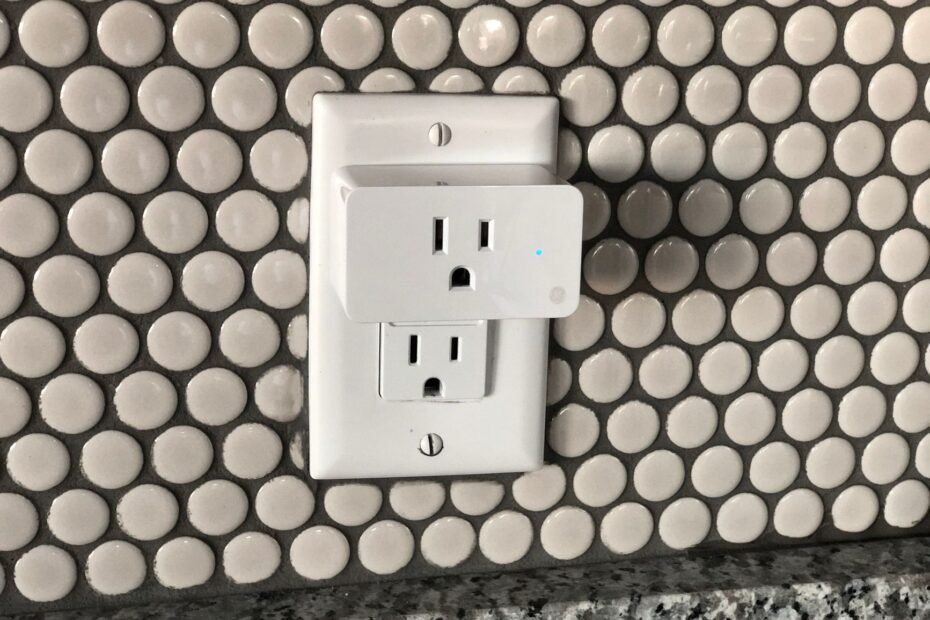
A compatible appliance can gain controlled outlet power when plugged into a properly rated smart plug. Your lamp, fan, or similar device must restart safely after power returns, with its mechanical on/off switch already left in the On position.
You’ll learn how restart behavior, electrical labels, outlet layout, Wi-Fi control, and unattended operation shape a safe setup for your home.
A Smart Plug Controls Outlet Power Rather Than Appliance Settings
An outlet accessory can send power or cut power, but it cannot press a touch panel, select a heat level, close a lid, or override a built-in safeguard. Your appliance still controls its own settings, modes, and safety functions.
A table lamp with a mechanical on/off switch can stay in the On position and light up after outlet power returns. A coffee maker with a digital Start button may return to standby instead, even though your smart plug has restored electricity.
Outlet switching has clear limits
That difference explains why a smart plug does not fully convert dumb appliances to smart appliances in every situation. It gives a compatible device remote power control, not new controls inside the appliance.
| Smart plug action | What it does for your setup | What it cannot do |
|---|---|---|
| Turns outlet power on | Starts a device that resumes after an outage | Press a digital Start button |
| Turns outlet power off | Stops power to a lamp or fan | Run a controlled shutdown cycle |
| Runs a schedule | Sends power at a chosen time | Change temperature, speed, or mode |
| Accepts app commands | Switches a suitable outlet remotely | Bypass locks or appliance safeguards |
Smart plug compatibility depends on three checks: restart behavior, electrical load, and unattended-use safety. The restart check comes before the others because a plug cannot operate controls that remain inactive after an outage.
A Power-Restoration Test Shows Whether Restarting Is Possible
A five-minute unplug test separates physical controls from electronic standby. Run this check only with equipment that is safe to power down and restart, such as a lamp or small desk fan.
A short unplug test gives a direct result
- Set normal operation. Turn the appliance on exactly as you would during normal use, including its chosen speed or light setting.
- Remove outlet power. Unplug the appliance for about 10 seconds without touching its own controls.
- Restore power. Plug it back in and watch for activity during the next 30 seconds.
- Record the response. An appliance that resumes its prior task can work with a smart plug, subject to load and safety checks.
- Repeat the test. A second pass exposes devices that restart only at a certain setting or after a brief delay.
You have a stronger candidate once the appliance starts again without a button press. Mechanical on/off switches, rotary dials, pull chains, and documented auto-restart settings tend to pass because their physical position remains unchanged during the outage.
Digital controls can stop a restart
Soft-power buttons send a signal to an internal circuit; they do not hold a physical electrical path open. Touch panels, digital memory settings, child locks, required confirmations, and outage safety lockouts can leave your appliance inactive after power returns.
For example, a basic box fan set with a rotary speed knob can begin spinning as soon as the outlet turns on. A fan with a touch screen may light its display yet remain idle until you press its Power button again.
Do not bypass a safety lockout with a smart plug. A lockout exists because an unattended restart could involve heat, movement, water flow, or another hazard.
Passing the restart test answers the control question, not the electrical one. Your next check compares the appliance label with the smart plug rating, since a device can restart correctly and still draw too much current.
Electrical Load and Unattended Operation Define the Safe Boundary
The appliance label tells you more than size or appearance. Look for voltage, amperage, watts, and, on motor equipment, wording about startup current or locked-rotor current.
Label numbers need a direct comparison
Your smart plug must match the appliance voltage and exceed its normal amp or watt demand within the maker’s stated load guidance. In US homes, many plug-in appliances run on 120 volts, yet a shared voltage does not mean every load belongs on the same outlet accessory.
Watts equal volts multiplied by amps. A 120-volt lamp drawing 0.5 amps uses about 60 watts, while a 12-amp heater draws about 1,440 watts and sits much closer to the limits shown on many smart plug labels.
Resistive loads, such as incandescent lamps, draw power in a steady pattern. Motors and compressors can draw a startup surge, so your small fan and window air conditioner need very different levels of scrutiny.
Unattended restarting changes the choice
| Appliance type | Smart plug fit | Why the category matters |
|---|---|---|
| Lamp with physical switch | Generally suitable | Low, predictable load and visible operating state |
| Decorative string lights | Generally suitable | Designed for routine on-off cycles, subject to location rating |
| Small fan with rotary dial | Conditionally suitable | Needs restart proof and motor-load headroom |
| Dehumidifier or pump | Conditionally suitable | Motor demand, water exposure, and restart instructions need review |
| Space heater or heating pad | Do not automate unattended | Heat can build after an unexpected restart |
| Cooking appliance or power tool | Do not automate unattended | Heat, blades, and moving parts need direct supervision |
A maximum rating is a ceiling rather than a target for constant operation. Leave margin below the stated rated load, and stop using the setup after warmth, discoloration, buzzing, a loose fit, or a hot plug body appears.
High-wattage appliances, air conditioners, and compressors can exceed smart plug wattage and amperage limits. Your appliance manual and the plug label settle that question, not the fact that the connector physically fits.
Once the electrical and supervision limits are clear, the remaining question is whether the appliance’s routine suits simple on-off control.
Predictable Tasks Make Better Smart-Plug Jobs
A lamp on a living-room side table is a clear starting point because its state is visible from across the room. Leave its mechanical switch on, set outlet power for dusk, and your plug handles one narrow, repeatable task.
Visible jobs have fewer unknowns
- Physical-switch lamps. Your lamp can follow a dusk schedule after it passes the power-restoration test.
- Simple desk fans. A rotary-dial fan can run during a planned window after you verify its motor load.
- Holiday lighting. Decorative lights suit recurring timers where their indoor or outdoor rating matches the location.
- Wax warmers without flames. Choose models whose instructions permit routine power cycling and unattended operation.
- Fish-tank lights. A plug can control lighting while filters and heaters remain on their own suitable equipment.
Your smart plug safety for appliances depends on the device’s task, not wattage alone. A 40-watt lamp on a schedule has a different hazard profile from a 40-watt soldering iron or a motor that starts behind a closed door.
Outlet layout can add heat and strain
Choose a plug with a recognized third-party safety mark, and match an outdoor-rated unit to a covered exterior location. TP-Link Kasa and Amazon Smart Plug publish electrical ratings in product documentation, where you can check the limits for your exact model.
Plug the smart plug directly into a wall outlet. Do not stack a power strip, extension cord, cube tap, or multi-outlet adapter behind it, because each added connection can add heat, strain, and an unclear load path.
Keep high-draw equipment on a dedicated wall outlet unless its instructions allow another arrangement. A crowded outlet can overheat before the smart plug reaches its listed rating.
Once your appliance has a predictable task and a direct outlet path, remote controls become useful rather than decorative. Confirm local switching before any schedule controls equipment while you are away.
Pairing Connects a Compatible Plug to Schedules and Voice Commands
A plug that responds in its companion app has passed the basic communication check. Many Wi-Fi smart plugs need a 2.4 GHz Wi-Fi connection during pairing because that band reaches farther through walls than 5 GHz in many homes.
A deliberate setup order limits mistakes
- Install the app. Add the maker’s companion app to your phone and complete its account and privacy prompts.
- Pair near the router. Place the plug where its status light and Wi-Fi signal are easy for you to check.
- Name the outlet. Choose a clear label such as “Desk Lamp” or “Porch Lights” rather than a broad room name.
- Try manual control. Turn the outlet off and on in the app while you watch the appliance respond.
- Run a short timer. Set a two-minute off timer, then confirm that your appliance and plug respond as expected.
- Add a schedule. Move to a recurring routine only after the short timer gives the same response twice.
You can link supported plugs to Google Home, Apple HomeKit, Matter, or IFTTT for broader home routines. Matter can let compatible devices work across more than one smart-home system without placing every command under a single brand.
Voice control needs a narrow purpose
Voice commands suit visible, low-risk tasks such as turning on a desk lamp. Give each outlet a distinct name so your command does not affect a similar light in another room.
Schedules should match a routine that remains safe after an unexpected restart. A porch light can switch on at sunset, while a heater, grill, curling iron, or power tool should never wait for a phone tap or spoken command.
This approach shows how to make regular appliances work with smart plugs without turning convenience into blind trust. Remote access is useful, but predictable outlet behavior remains the rule behind every routine.
Because connectivity adds another point of failure, dependable automation also requires checking what happens when that link disappears.
Network Loss and Failure Checks Keep Controls Honest
An energy-monitoring plug can show live wattage and accumulated kilowatt-hours, helping you spot a lamp left on or a fan drawing more power than expected. Its display is an indicator rather than a substitute for a dedicated electrical meter.
Local switching can outlast internet access
Your plug’s physical button may still switch the outlet during an internet outage. App access, cloud-based schedules, voice commands, and platform routines can stop until your router, internet service, plug connection, and linked service return.
Some plugs store schedules inside the device, while others depend on cloud services. Check behavior during a planned router restart while you are home, then decide whether a missed command fits your intended task.
A fixed check order finds common faults
- Recheck restart behavior. Restore wall power and confirm that your appliance still resumes without manual input.
- Inspect heat and load. Stop operation after warmth, odor, discoloration, or a loose outlet connection appears.
- Check plug status. Confirm that the indicator light, Wi-Fi connection, and app state match the outlet’s actual state.
- Review schedule details. Verify selected days, time zone, sunrise settings, and the chosen routine action.
- Remove unsafe routines. Disable a schedule after unpredictable starts, missed stops, or changed appliance behavior.
You should repeat the power-restoration test after a firmware update, power outage, or appliance repair. A changed setting can turn a once-compatible device into one that remains in standby mode.
A Reliable Setup Stays Within Clear Limits
The useful smart plug is not the model with the longest feature list. It is the one paired with an appliance that restarts predictably, stays below the plug’s rated load, and remains safe without your direct supervision.
Start with a mechanical-switch lamp and verify every step in person. Your schedules should remain limited to tasks that keep the same clear boundaries around heat, water, moving parts, and electrical load.
FAQ
Can a smart plug control any appliance?
No. Your smart plug controls power delivery only, so the appliance must resume operation after power returns and must be safe to restart unattended. Devices that need a digital button press, safety confirmation, or hands-on setup do not gain those controls from the plug.
How do I know whether an appliance will turn back on after a smart plug is switched on?
Set the appliance to normal operation, unplug it for about 10 seconds, then restore power without touching its controls. Your device is compatible only once it resumes its prior task on its own. Repeat the check twice before trusting a recurring schedule.
Can I use a smart plug with an air conditioner, heater, or other high-wattage device?
High-wattage devices need close review of their nameplate, instructions, startup demand, and smart plug rating. Do not automate space heaters, cooking devices, or power tools unattended. Air conditioners and compressors can draw surge current beyond a plug’s intended motor-load capacity.
Do smart plugs work with appliances that have digital buttons?
Some do, but digital-control appliances can return to standby after power loss. Your unplug test gives the answer for your exact model. A touch panel, memory setting, child lock, or required confirmation can stop a restart even though the outlet has power.
What types of regular appliances work with smart plugs?
Lamps with mechanical switches, decorative lighting, and basic fans with rotary dials are common candidates after restart and load checks. Your appliance needs a predictable task, an appropriate electrical rating, and a safe operating location.
What wattage and amperage limits should I check before using a smart plug?
Read the appliance label for volts, amps, and watts, then compare those numbers with the smart plug label. Your device must match the plug’s voltage and remain below its stated load rating, with extra caution around motors, compressors, and heating equipment.